> ## Documentation Index
> Fetch the complete documentation index at: https://docs.qonto.com/llms.txt
> Use this file to discover all available pages before exploring further.
# Account & APIs Access Management
[Click here](https://developers.qonto.com/sign-up/) to create your Developer Portal account.
* If you have a Qonto account, you will be able to sign up with your Qonto credentials — no additional review is needed.
* If you don't have a Qonto account, you will be able to sign up with your email address.
When signing up with your **email address**, your organization will go through a review before your account is activated. This process takes around **48 hours** on average. You will receive a confirmation email once your account is approved.
To manage your account, go into "my account" tab at the left bottom of the page.
You don't need to request your sandbox/production access as everything is available on your developer portal.
[Follow these guidelines](/get-started/general/developer-guidelines) that explain in detail:
* How to set up the Sandbox environment
* How to make your first API call
* How to build your integration
* How to move from Sandbox to Production and release your app
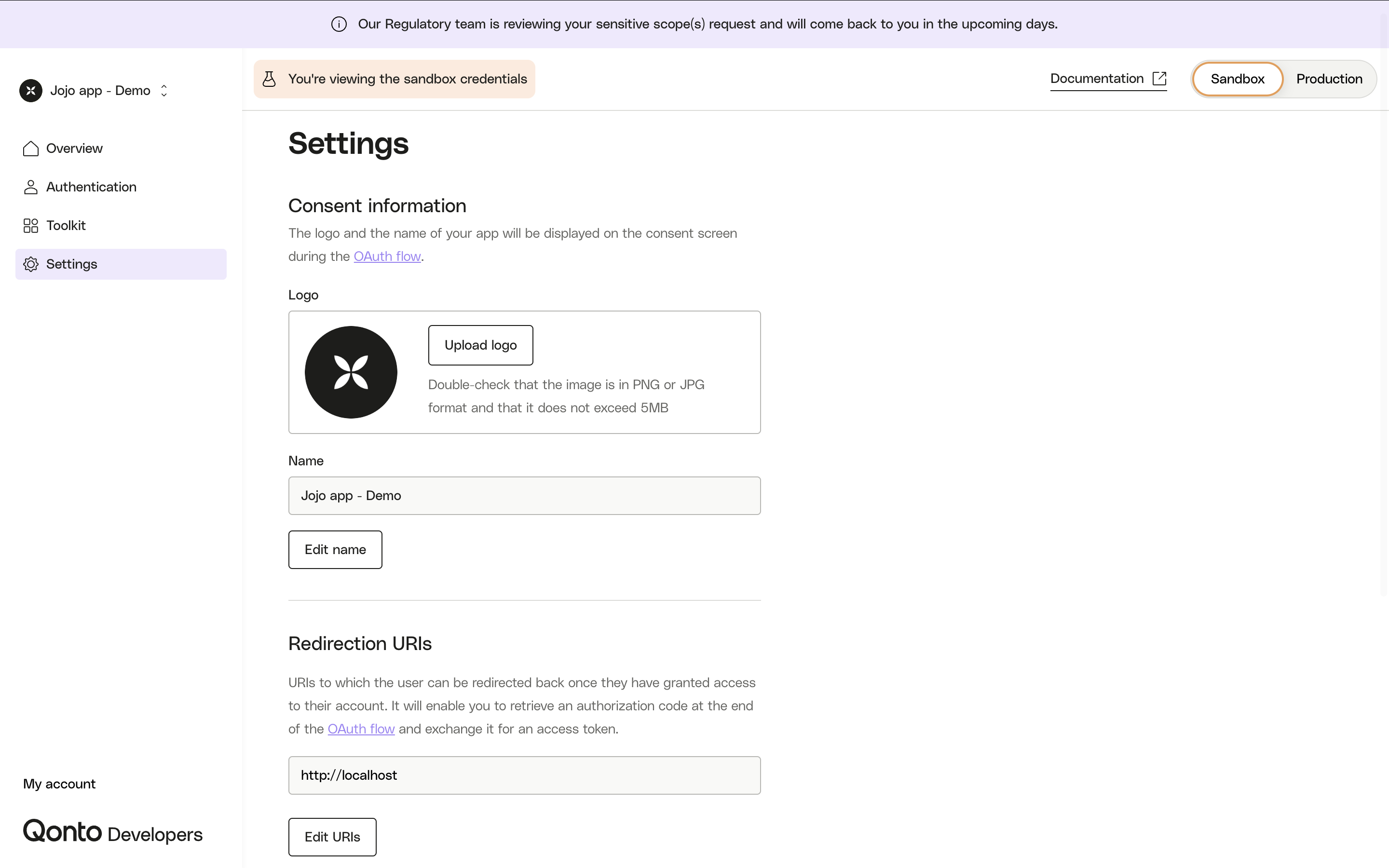
To edit redirect URIs and your app information, you can click on "Settings" in your navigation bar on the left. There, you will be able to update your app's logo & name as well as editing URIs. Before editing, choose if these changes should appear on the Sandbox and/or Production environment by using the toggle on the top right of the page.
 This feature is only available for apps using OAuth 2.0.
This feature is not available yet but is being developed.
Need to report a bug, request a new feature, or didn't find your answer? [Click here.](https://qonto-developers.zendesk.com/hc/en-001/requests/new)
This feature is only available for apps using OAuth 2.0.
This feature is not available yet but is being developed.
Need to report a bug, request a new feature, or didn't find your answer? [Click here.](https://qonto-developers.zendesk.com/hc/en-001/requests/new)