> ## Documentation Index
> Fetch the complete documentation index at: https://docs.qonto.com/llms.txt
> Use this file to discover all available pages before exploring further.
# January
## New Webhook: Client Invoices (Real-Time, No Babysitting)
If you're building invoicing or accounting workflows, you know the pain: invoices change, your system doesn't notice, and suddenly you're "debugging" at 6pm.
Not anymore.
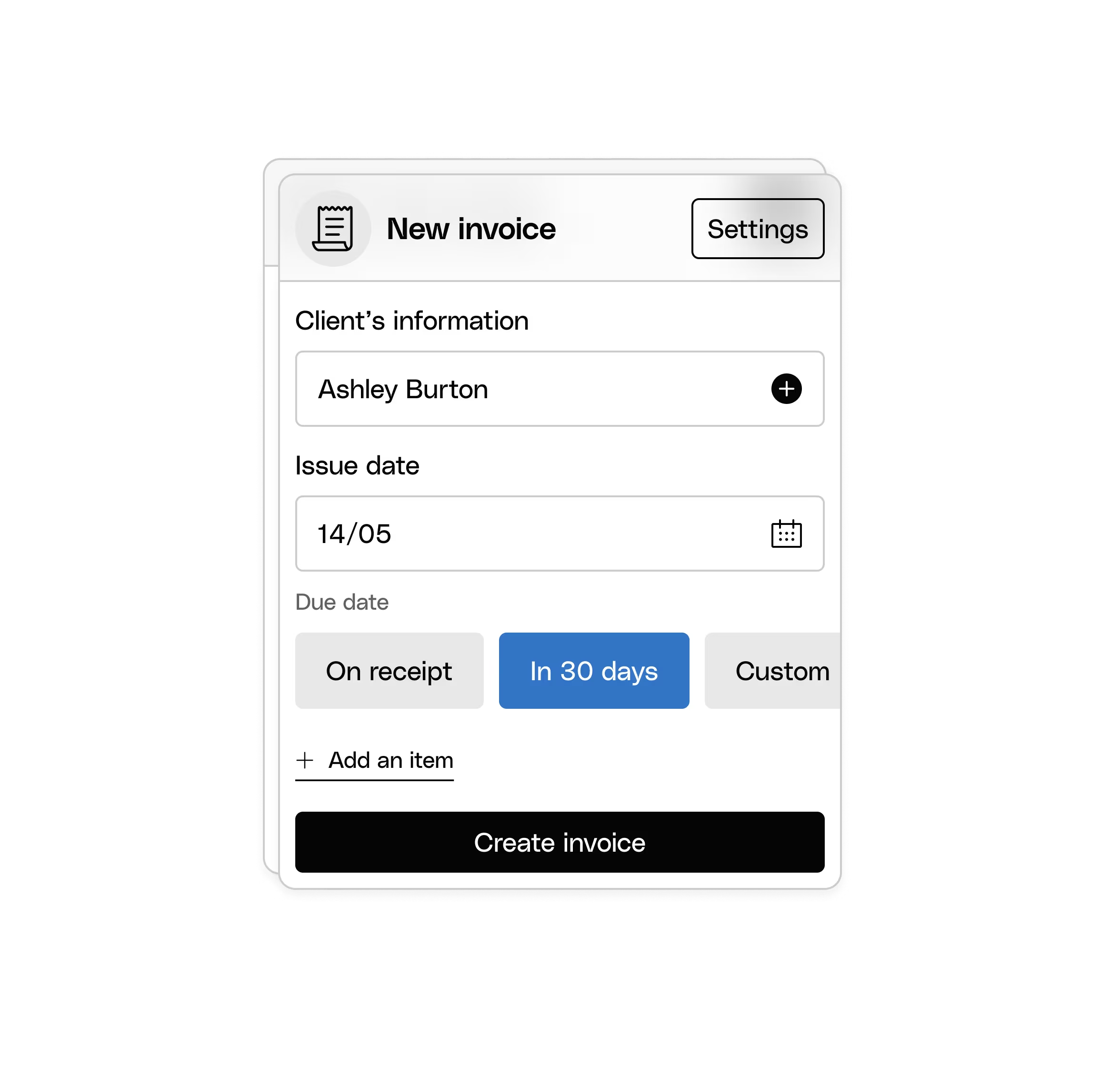
You can now subscribe to [**Client Invoice webhooks**](https://docs.qonto.com/api-reference/business-api/webhooks/supported-webhooks/v1-client-invoices#v1-client-invoices) to receive real-time notifications when invoices are **created** or **updated**—perfect for automating workflows and keeping everything aligned across your product and Qonto.
 ## UI Elements: More Power, Less DIY
We’ve been quietly turning “complex banking flows” into “call a function and move on with your life.” January came with three big upgrades.
### **SEPA Transfer Creation UI Element (now fully loaded)**
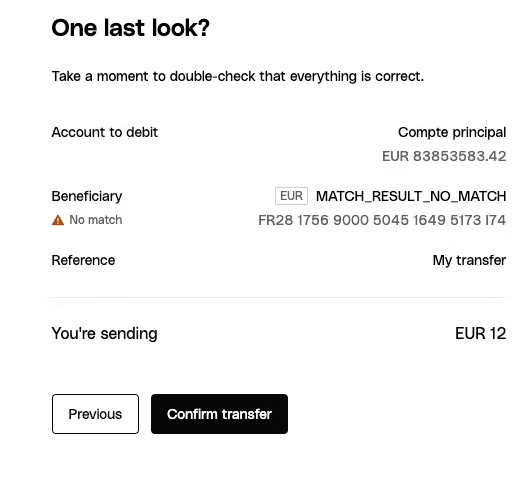
This is the one you’ve been waiting for: a ready-to-use [SEPA Transfer Creation](https://docs.qonto.com/api-reference/sdk-libraries/doc-pages/ui-elements/sepa-transfer-creation) component with a complete multi-step flow.
It includes:
* Beneficiary selection (because typing IBANs manually is so 2014)
* Verification of Payee (VoP) checks (hello, safer transfers)
* Built-in Strong Customer Authentication (SCA) (yes, handled)
## UI Elements: More Power, Less DIY
We’ve been quietly turning “complex banking flows” into “call a function and move on with your life.” January came with three big upgrades.
### **SEPA Transfer Creation UI Element (now fully loaded)**
This is the one you’ve been waiting for: a ready-to-use [SEPA Transfer Creation](https://docs.qonto.com/api-reference/sdk-libraries/doc-pages/ui-elements/sepa-transfer-creation) component with a complete multi-step flow.
It includes:
* Beneficiary selection (because typing IBANs manually is so 2014)
* Verification of Payee (VoP) checks (hello, safer transfers)
* Built-in Strong Customer Authentication (SCA) (yes, handled)
 ### **New UI Element: Transaction List**
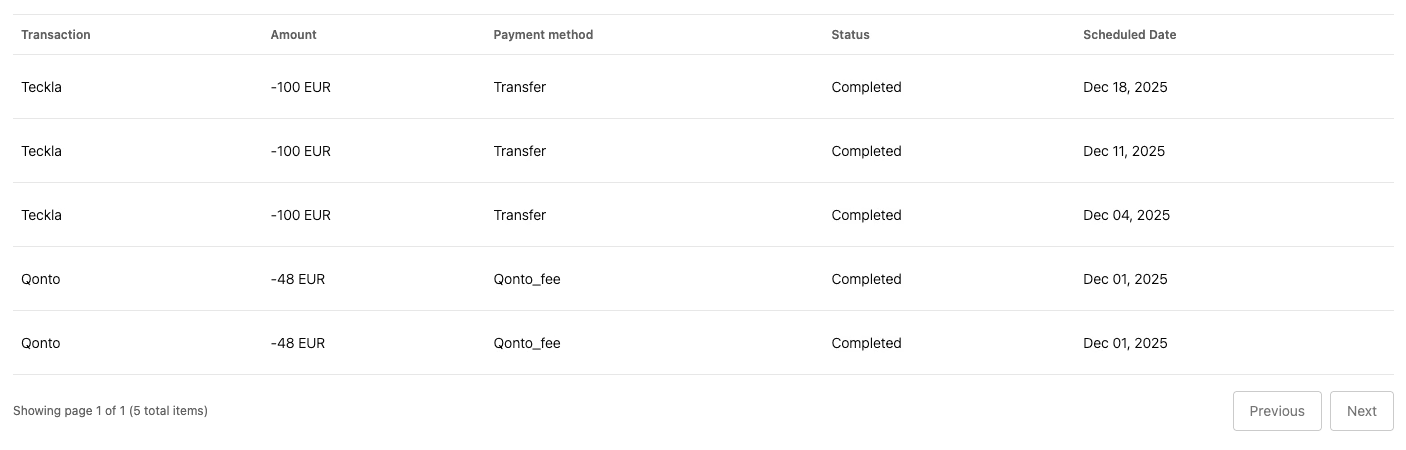
Need to show transaction history in a clean, professional table—without building pagination, fetching, loading states, and user interactions from scratch?
Meet the [**Transaction List**](https://docs.qonto.com/api-reference/sdk-libraries/doc-pages/ui-elements/transaction-list) UI Element. It displays a paginated transaction history and handles the heavy lifting automatically.
### **New UI Element: Transaction List**
Need to show transaction history in a clean, professional table—without building pagination, fetching, loading states, and user interactions from scratch?
Meet the [**Transaction List**](https://docs.qonto.com/api-reference/sdk-libraries/doc-pages/ui-elements/transaction-list) UI Element. It displays a paginated transaction history and handles the heavy lifting automatically.
 ### ***CSS Customization: Make It Look Like You***
UI Elements are only “embedded” if they actually look native in your product. Good news: all UI Elements can now be fully customized using [**CSS custom properties**](https://docs.qonto.com/api-reference/sdk-libraries/doc-pages/customizable-components/customizable-components-overview), so you can match your brand identity without fighting the component.
### ***CSS Customization: Make It Look Like You***
UI Elements are only “embedded” if they actually look native in your product. Good news: all UI Elements can now be fully customized using [**CSS custom properties**](https://docs.qonto.com/api-reference/sdk-libraries/doc-pages/customizable-components/customizable-components-overview), so you can match your brand identity without fighting the component.
 ## What’s next?
Let’s just say 2026 is not going to be quiet. More features available via API, more UI Elements, more automation, more ways to embed Qonto deeply—without turning your roadmap into a never-ending integration project.
[Send me your feedback](mailto:pierre-louis.capitaine@qonto.com), share what you’re building, or [book time with me](https://calendly.com/pierre-louis-capitaine-qonto/30min) to review your integration and roadmap.
## What’s next?
Let’s just say 2026 is not going to be quiet. More features available via API, more UI Elements, more automation, more ways to embed Qonto deeply—without turning your roadmap into a never-ending integration project.
[Send me your feedback](mailto:pierre-louis.capitaine@qonto.com), share what you’re building, or [book time with me](https://calendly.com/pierre-louis-capitaine-qonto/30min) to review your integration and roadmap.