

Why your Sandbox requests get blocked
Our entire Sandbox / staging environment — every API host, every web app, every URL it returns to you — is protected and not directly accessible from the public internet. If you try to reach any Sandbox URL without the right credentials, your request hits a OneLogin sign-in page first. That page is the SSO that protects internal Qonto resources: it is reserved for Qonto employees, and external partners cannot sign in through it. You will see this OneLogin page in two situations:- The API returns an HTML response (the OneLogin login HTML) instead of the JSON you expected — sometimes with a
200status, sometimes as a302redirect tohttps://qonto.onelogin.com/login. - A URL the API gave you (a
redirection_linkfrom the Onboarding API, an attachment URL from the Business API, etc.) opens a OneLogin page when you click it.
Option 1 — Programmatic calls: the X-Qonto-Staging-Token header
Our entire Sandbox / staging environment is protected by a OneLogin gate and is not directly accessible from the public internet. For any non-browser call (cURL, your backend code, your HTTP client library, Postman, etc.), add the following header on every request you make to a Sandbox endpoint:
When this header is present and valid, our infrastructure transparently bypasses the OneLogin gate and routes the request to the actual API.
The header name is case-sensitive on the dash-separated capitalization shown above:
X-Qonto-Staging-Token. Lowercase or mixed variants may not be normalized by every layer in the chain.- OAuth endpoints (
/oauth2/auth,/oauth2/token) — see Testing in the Sandbox - Onboarding API endpoints — see Onboarding API authentication
- Webhook subscription endpoints — see Test with webhook.site
- Embed dispatch (proxy) endpoints — see Proxy API requests from the Embed SDK
redirection_link or an attachment URL), the header can’t be used: see Accessing the Sandbox environment.
Example
Option 2 — Browser calls: log in through the Developer Portal first
Use this whenever a URL must be opened in a web browser — typically:- The
redirection_linkreturned by the Onboarding API when you create a registration. The end-user customer is supposed to follow it to start their account creation. - Attachment URLs returned by the Business API when you retrieve transactions, supplier invoices, etc. Those URLs point to short-lived signed assets hosted on a Sandbox domain.
- Any other Sandbox URL you need to reach interactively for testing.
1
Log in to the Developer Portal
Sign in at https://developers.qonto.com/ with your account.
2
Click "Sandbox web app" from the Toolkit
From the Developer Portal Toolkit, click the Sandbox web app link. This opens the Sandbox web app and sets a cookie in your browser that authorizes Sandbox domains.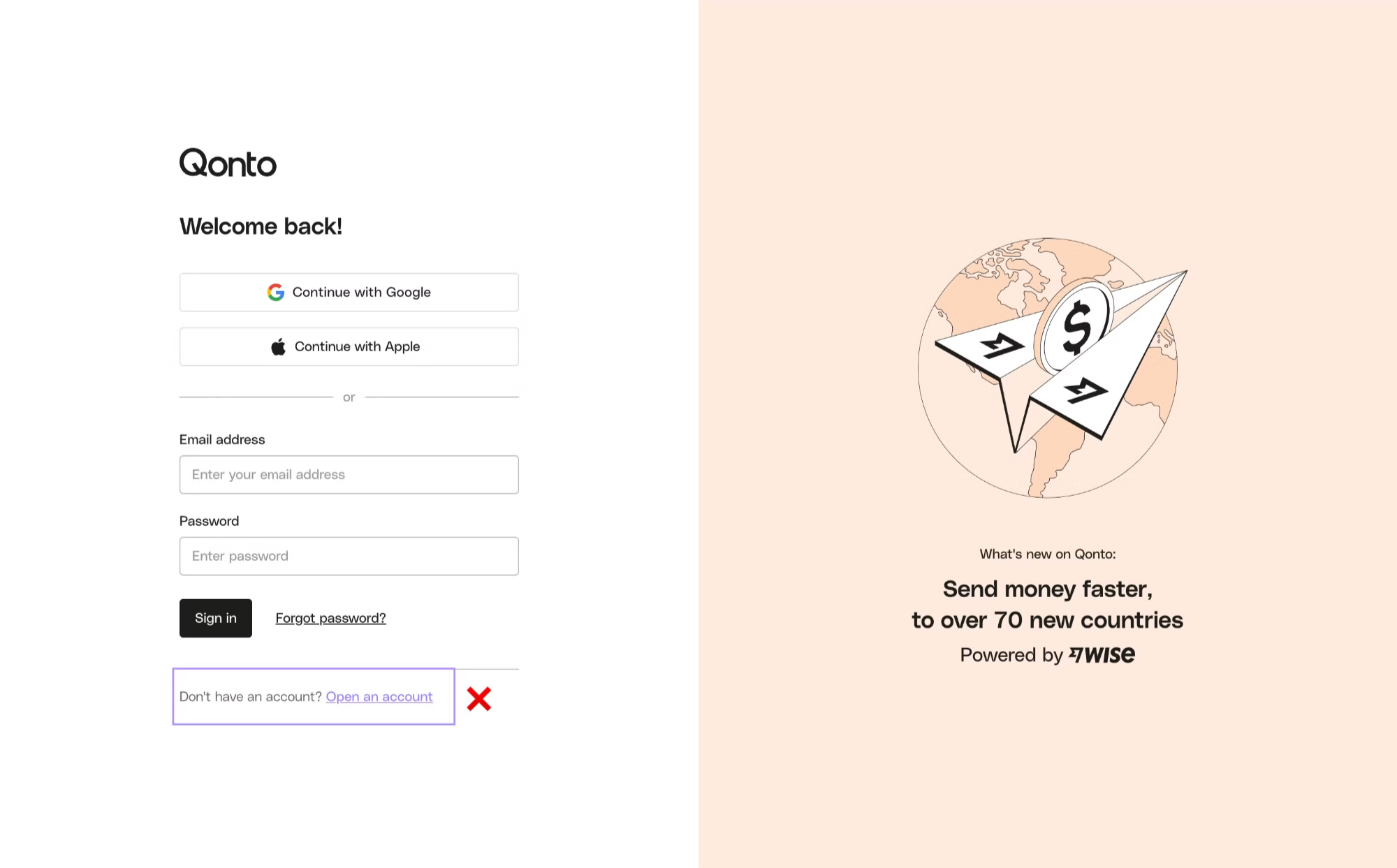
3
Open your Sandbox URL in the same browser
Reuse the same browser (and the same profile) to open the
redirection_link, attachment URL, or other Sandbox URL. The cookie set in step 2 lets you bypass the OneLogin gate and reach the actual page.Which option do I need?
Troubleshooting
My API call returns HTML / a 302 to qonto.onelogin.com
My API call returns HTML / a 302 to qonto.onelogin.com
You forgot the
X-Qonto-Staging-Token header, or the value is wrong. See Option 1.The Onboarding redirection_link sends my browser to OneLogin
The Onboarding redirection_link sends my browser to OneLogin
Your browser is missing the Developer Portal cookie. Follow Option 2, then re-open the link in the same browser.
It works in Chrome but not in Firefox / not in incognito
It works in Chrome but not in Firefox / not in incognito
Cookies don’t cross browsers or profiles. Click Sandbox web app from the Developer Portal Toolkit in whichever browser you actually want to use.
Production calls — do I still need the staging token?
Production calls — do I still need the staging token?
No. The
X-Qonto-Staging-Token header is Sandbox only. Production endpoints don’t accept it. See Developer guidelines — Release your integration.