Text Body is a component for displaying body text content with consistent typography. It renders text in a paragraph tag with customizable styling for font size, weight, line height, and color.

Default Styling

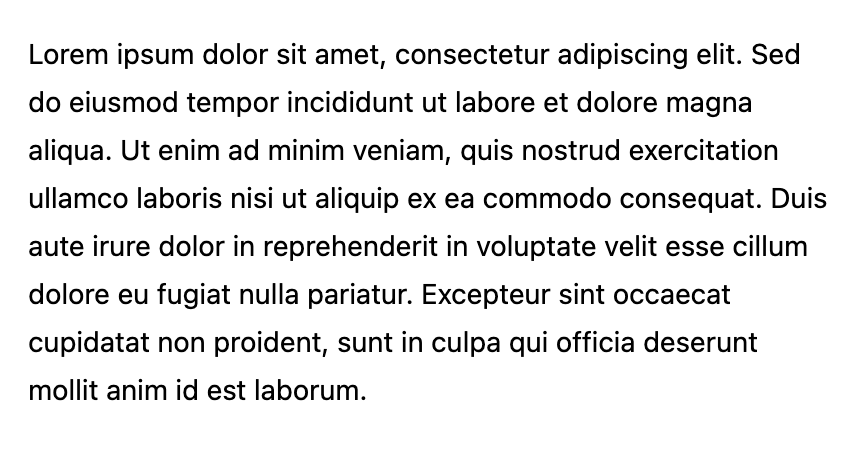
By default, the Text Body component uses Qonto’s branding with standard body text styling: Default text body style
Customization Options

All customizable components are subject to being styled with global CSS properties exposed by the Qonto Embed SDK. If no component-level style is applied by the SDK, the global styles will be used if they are defined.
The Text Body component can be customized using the following CSS variables:
CSS VariableDescription & Accepted Values
--qonto-embed-content-font-sizeFont size for body text (e.g., 14px, 16px, 1rem).
--qonto-embed-content-font-weightFont weight for body text (e.g., 400, 500, bold).
--qonto-embed-content-line-heightLine height for body text (e.g., 24px, 1.5, 1.6).
--qonto-embed-content-color-primaryColor of the body text (e.g., #000, #333, rgb(0,0,0)).
The Text Body component automatically wraps content in a paragraph tag and removes default margins. It’s designed to work seamlessly with slotted content, making it easy to integrate into your application’s content structure.

Example

This example shows customized Text Body styling:
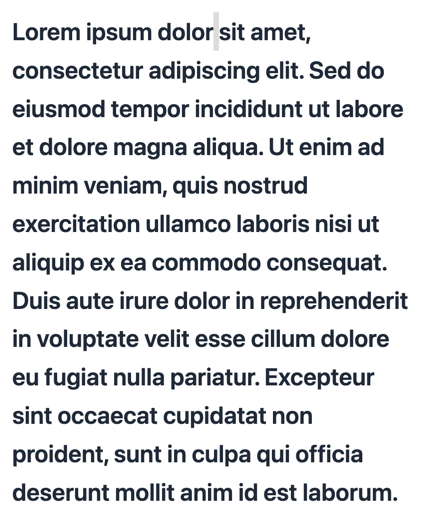
:root {
  --qonto-embed-content-font-size: 24px;
  --qonto-embed-content-font-weight: 600;
  --qonto-embed-content-line-height: 1.6;
  --qonto-embed-content-color-primary: #1f2937;
}
The result is body text with larger font size, increased line height for better readability: Customized text body style

Usage

The Text Body component is used by wrapping text content:
<qonto-text-body> Your text content goes here. </qonto-text-body>
It automatically handles line breaks and text wrapping based on its container width, making it suitable for various content lengths from short descriptions to longer paragraphs.