

UI Elements: Pre-Built Features, Maximum Impact
We’re introducing UI Elements—think of them as features built and ready to go, straight out of the box. Less integration work. Less custom code. Available today:- SEPA Transfer List UI Element - Display all your user’s SEPA transfers in a beautiful, functional table with zero effort. Just call a function and you’re done.
- SEPA Transfer Creation UI Element - Let your users create SEPA transfers without you having to build the entire flow from scratch.

Beneficiary Webhooks: Real-Time Sync, Zero Polling
Here’s a problem we just solved: constantly checking if beneficiary data changed. We just shipped Beneficiary Webhooks that eliminate that pain entirely. Now your systems get instant notifications whenever a beneficiary is created, updated, or deleted. What this unlocks:- Real-Time Synchronization - Get notified instantly when beneficiaries change. Your system reacts immediately instead of constantly asking “has anything changed?”
- Smarter Payment Automation - Automatically validate and sync beneficiary data before SEPA transfers or bulk payments.
- Security Built In - Track changes to trusted beneficiaries (critical since they can bypass SCA for automated transfers). Maintain rock-solid audit trails of who added or modified payment recipients.
Payment Links Level Up: Now Powered by Qonto Invoices
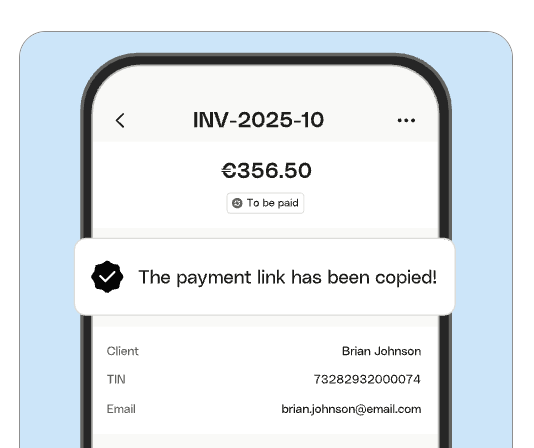
We’ve expanded the Create Payment Link endpoint so you can now generate payment links directly from Qonto invoices. This means:- Your users can transform any Qonto invoice into a shareable, secure payment link in seconds
- One less step, one more reason to stay inside your platform
- More flexibility in how you structure payment collection workflows
The ACD Story: When Banking Becomes Part of Your Accounting DNA
Instead of forcing accountants and SMEs to ping-pong between banking and accounting software, ACD brought Qonto’s business banking features directly into the daily workflow. What the ACD x Qonto integration unlocks today:- Seamless Account Creation - Simplified onboarding thanks to native communication between ACD and Qonto.
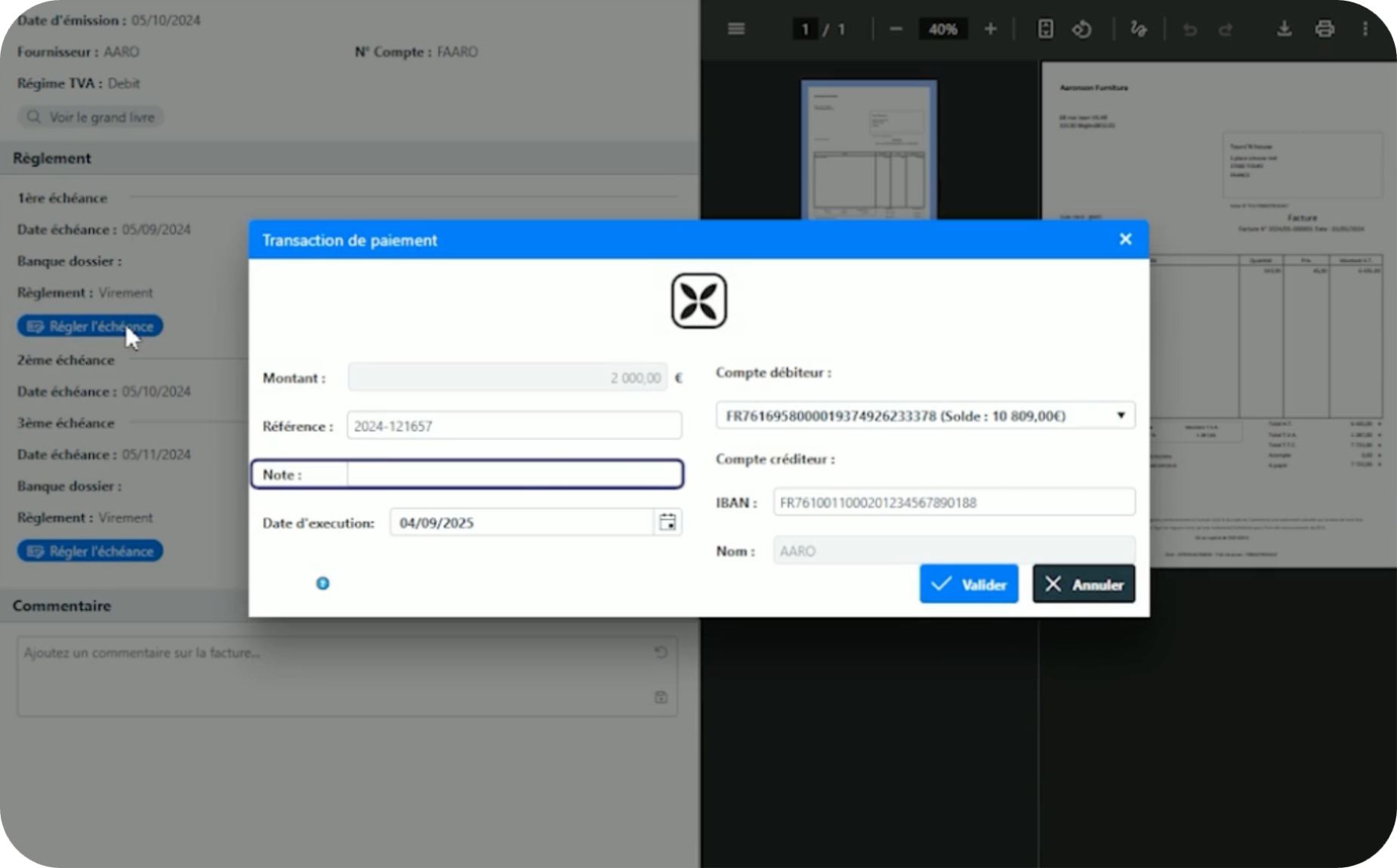
- A “Pay with Qonto” button appears. Settle supplier invoices directly inside ACD. No bank login. No app switching. Just fast processing, fewer errors, and automatic bank reconciliation.
- Automatic Bank Statement Import - ACD retrieves transactions, receipts, and bank statements from Qonto via API, then generates accounting entries automatically.
- Users can open Qonto’s invoicing tool via secure redirection—desktop or mobile. Invoices automatically flow back into ACD for a continuous, reconciled record. No manual entry. No sync delays.
- Frictionless onboarding
- Streamlined payments where work already happens
- Automated reconciliation with clean audit trails
- A single, unified source of financial truth